
The Ultimate Stage Plot and Tech Rider App
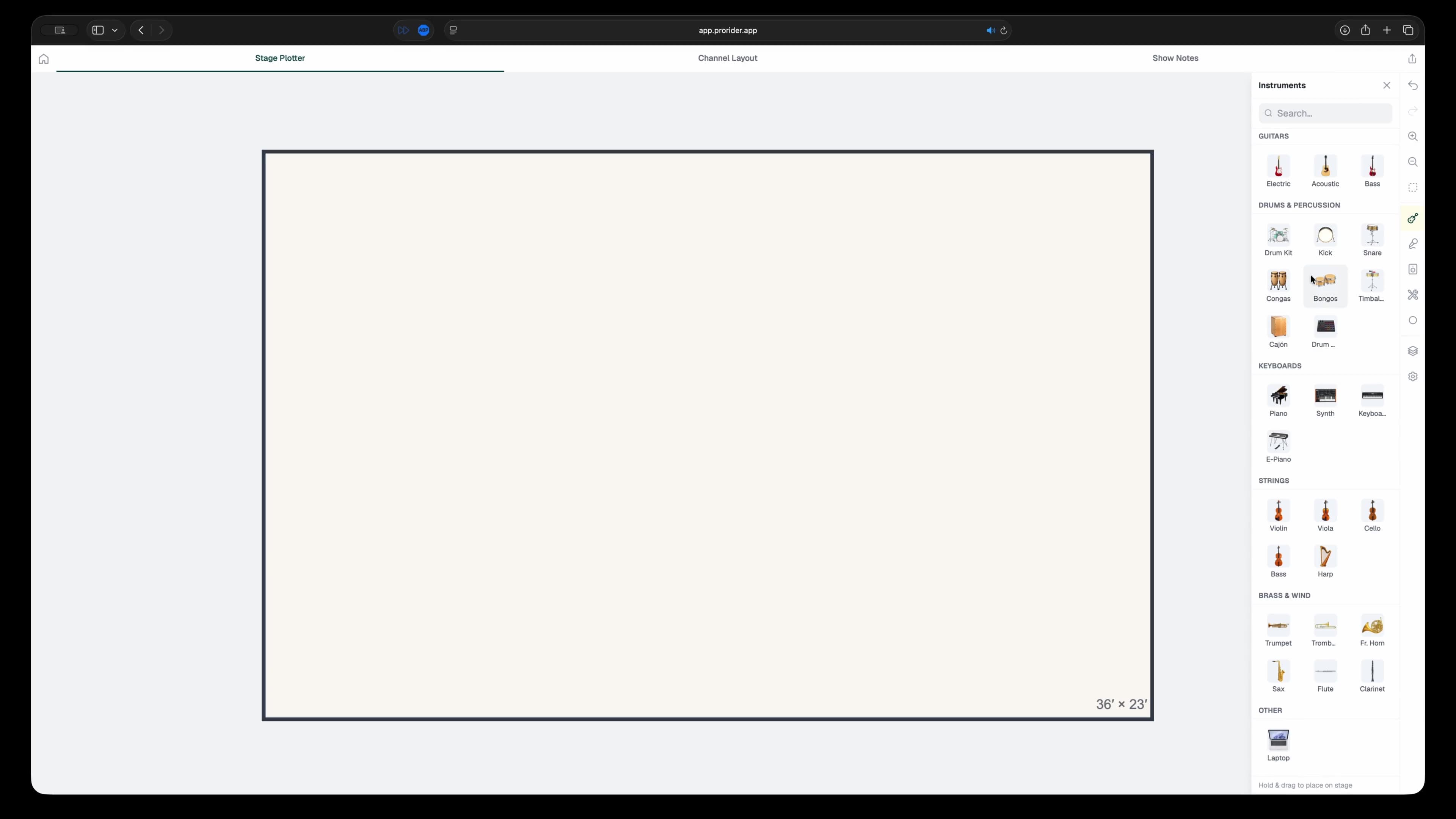
Build beautiful stage plots and tech riders to share with your band mates, mixing engineer, and stage crew. Drag and drop instruments and gear onto a virtual stage, auto-generate input and output lists, and write your show notes, all in one mobile-friendly application.



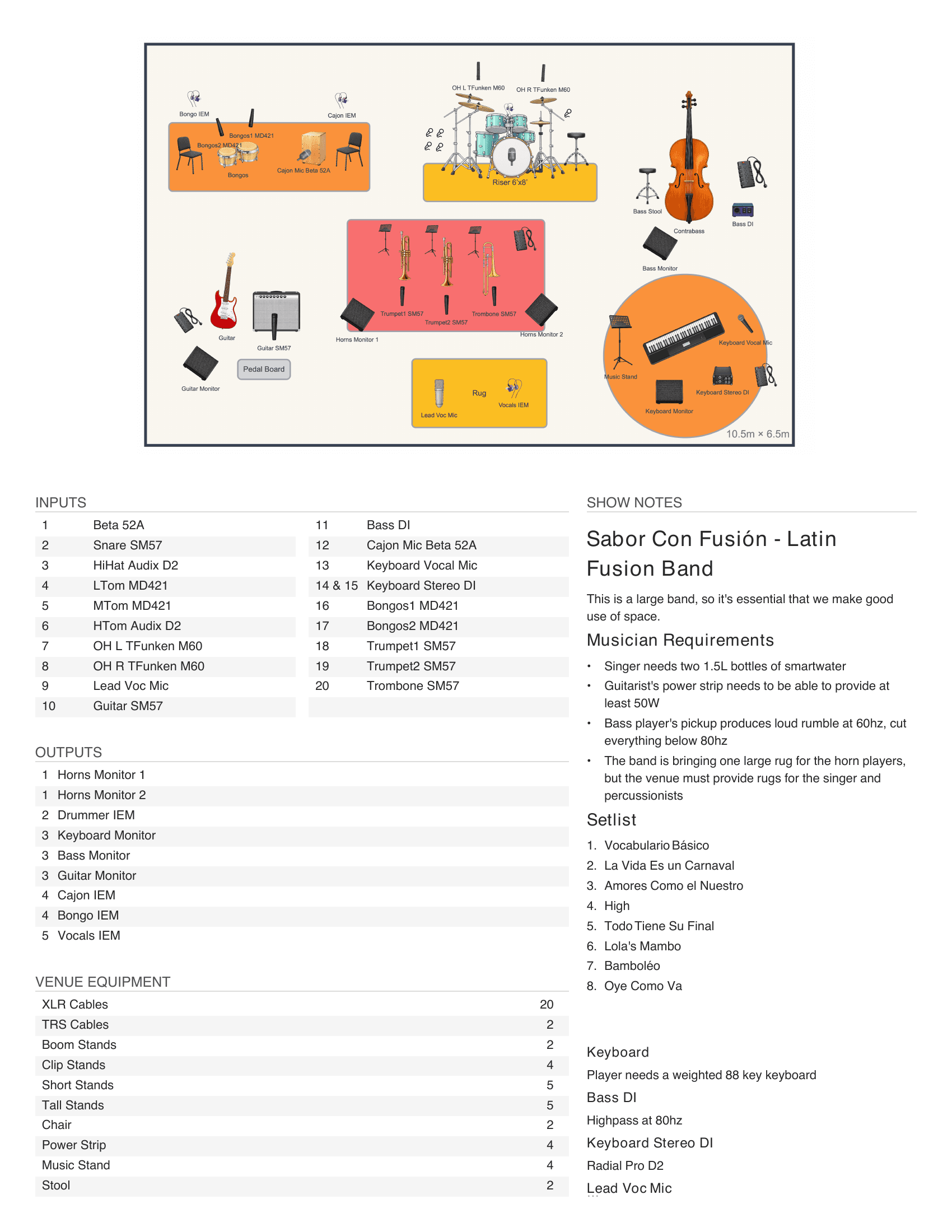
Export your rider as a single document
Export the whole advance as a single PDF: stage plot, input and output lists, venue equipment, and show notes — all in one document. Export your plot as a compact, single-page sheet or as a detailed multi-page document.
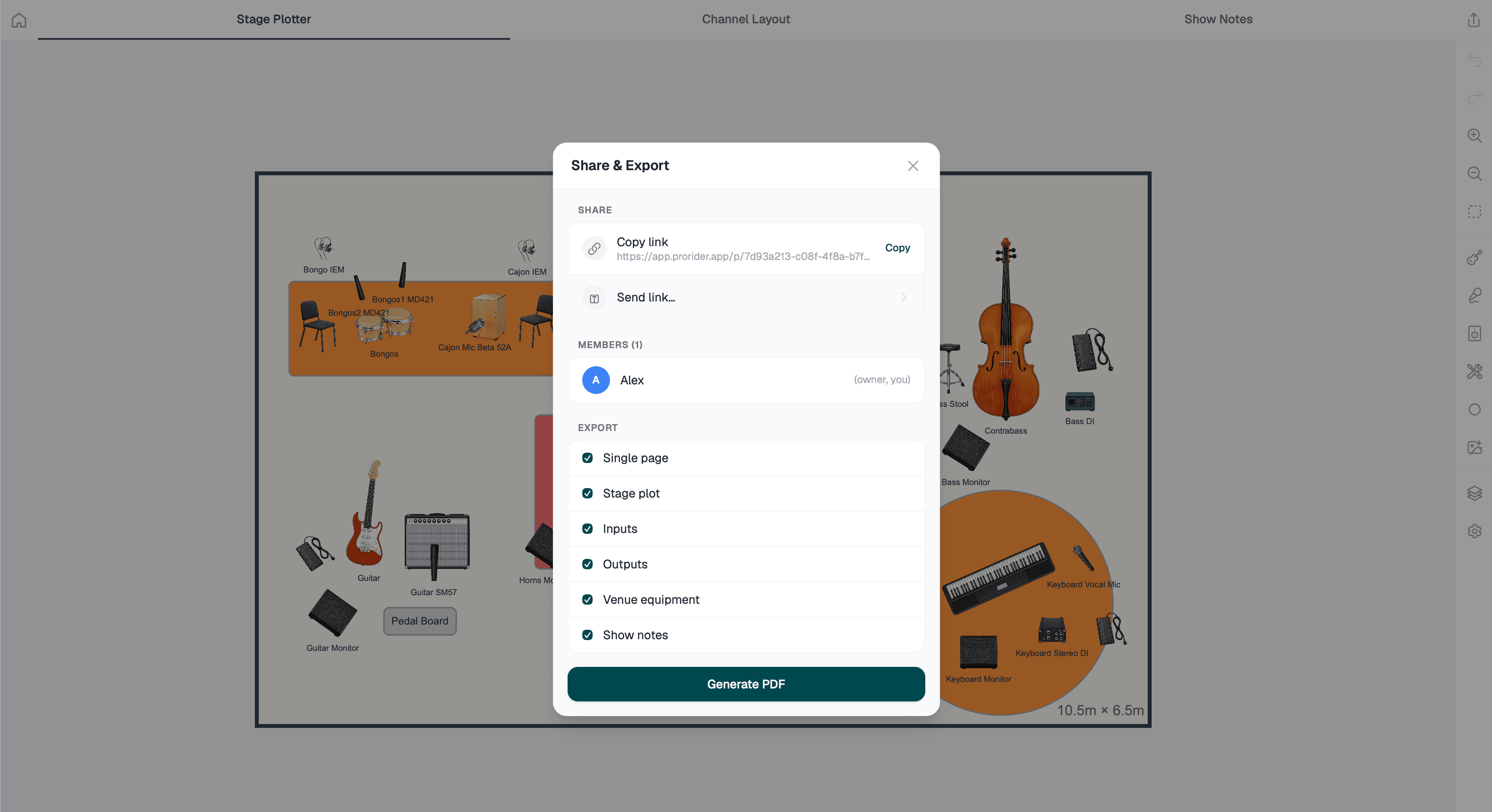
One link, and everyone's on the same page
Copy a link and send it to your band or your engineer — they open the live project and collaborate with you in real-time, make their own copy of the project, or export a PDF with their own preferences.
Everything a gig needs in one project
The plot, the channel list and the notes usually live in three separate files that quietly stop agreeing with each other. ProRider keeps them together.
Drag-and-drop stage builder
Place backline, monitors, risers and mics on a virtual stage from your phone, tablet or browser.
Channel lists that write themselves
ProRider reads the stage and builds the input list. Add a DI to the plot and it appears on the list — the two can’t drift apart.
Customizable PDF export
Export a clean, printable PDF for the advance email or to hand over at load-in.
Real-time collaboration
Share a project with your band or your engineer and edit it together. Everyone is looking at the current version.
Plot, channels and notes together
One project holds the whole advance, so nothing gets sent without the rest of it.
Synced across your devices
Start a plot on a laptop at rehearsal, fix a channel on your phone in the van.
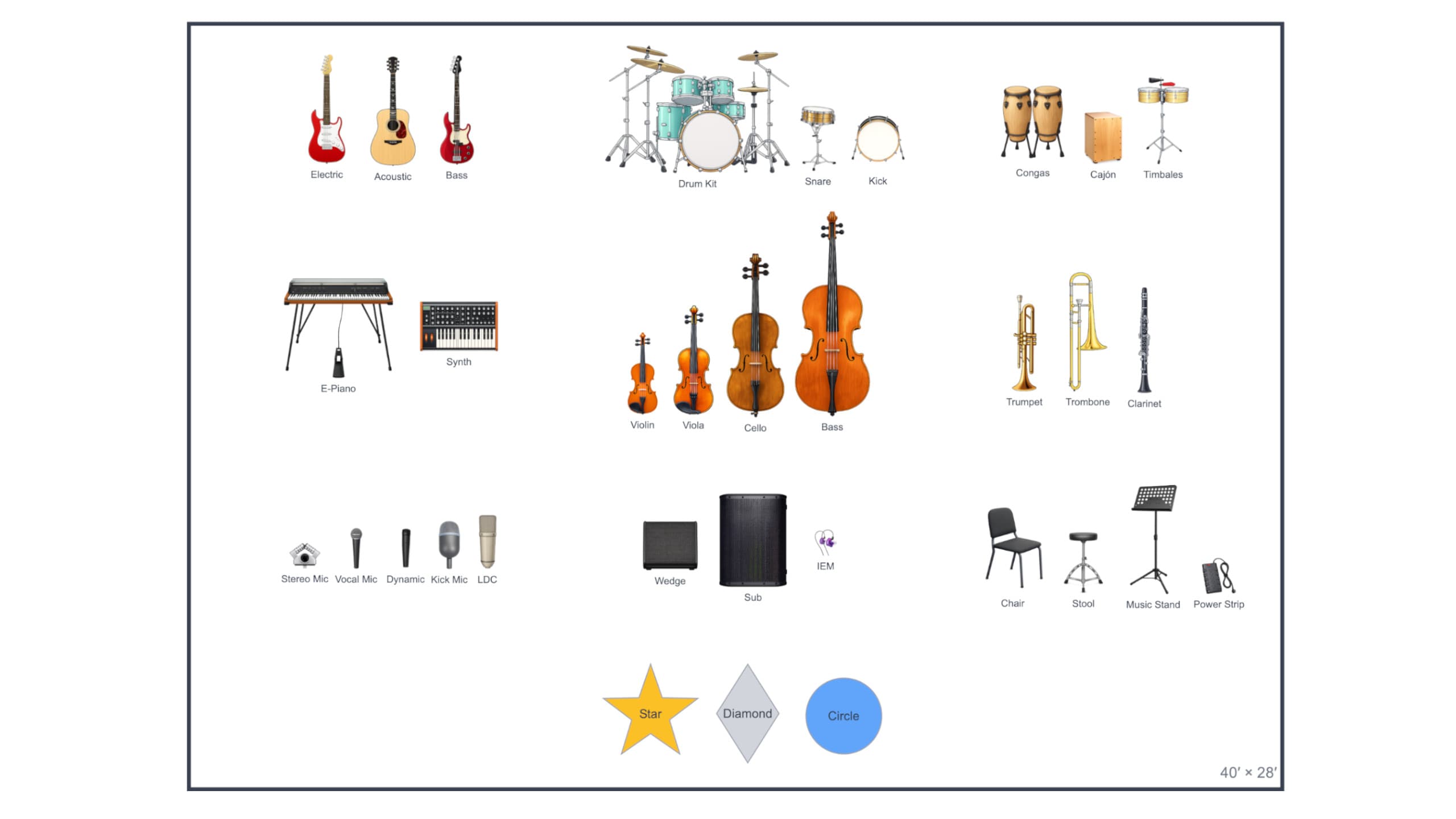
Extensive icon library
ProRider includes a collection of colorful and descriptive icons that help make your plots easy to read and beautiful to behold. Need something specific? Upload your own icons such as niche instruments or band logos
Pay once, or use ProRider for free
No subscription, a powerful free tier, and a $9.99 membership purchase that never renews.
Free
$0
- The full stage plot builder
- Automatic channel lists
- Show notes and sharing
- Up to three projects
- PDF export, with a watermark
ProRider Membership
$9.99 once
- Everything in Free
- Unlimited projects
- Up to 100 custom icons
- Watermark-free PDF exports
- No renewal, ever
Start your first stage plot
Build a plot, generate the channel list, and send the PDF before your next load-in.